Comfort Trade vs Player Auction: Which Is Better?
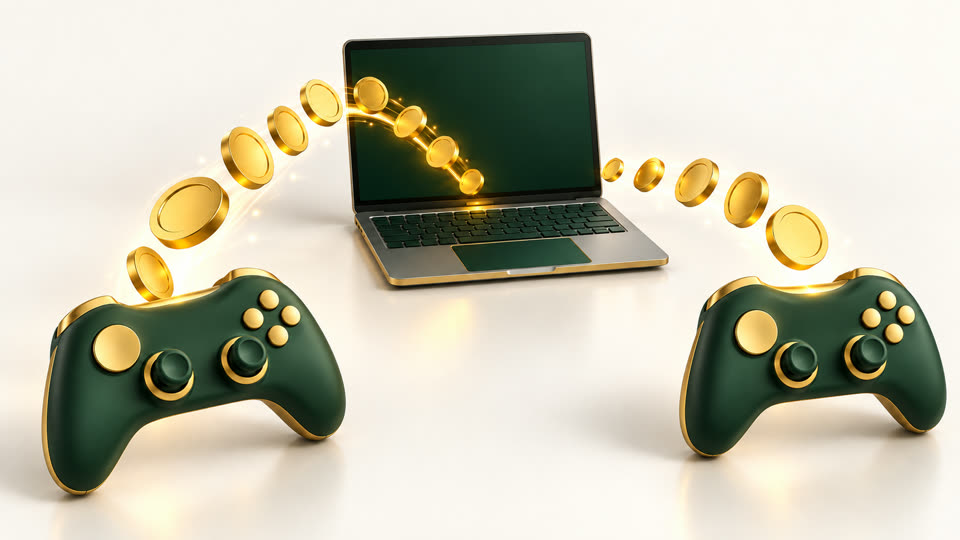
Every coin shop delivers FC 27 coins, or FIFA coins as many players still call them, in one of two ways: Comfort Trade or Player Auction. Both end with the same FC 27 coins in the same club; they differ in what you share, what you do, how fast they are and where the risk sits. This guide explains both methods step by step, compares them honestly, and tells you which one we would choose for your order.
The short answer
Comfort Trade if you want the coins to arrive while you do something else, or if you buy more than a couple of million. Player Auction if you would rather not share your EA login and the order is small enough to list in a few rounds. Both are covered by the same 72-hour guarantee, and the price of FC 27 coins is the same whichever method you pick.
What is Comfort Trade?
Comfort Trade means the seller delivers the FC 27 coins for you. You share your EA account login and backup codes on a secure page after payment, the seller signs in through the FC 27 Web App, moves the coins into your club through transfer market trades and signs out. You don't list anything, and your console or PC can stay off. The name comes from exactly that: it is the comfortable option.
Comfort Trade step by step
- Pay and open the secure page linked in your confirmation email.
- Enter your EA email, password and backup codes. Backup codes are generated in your EA account's security settings; they let the login verification pass without your phone.
- Leave the game closed. A second session on the account interrupts the transfer.
- The coins are moved in through ordinary-looking trades. Up to 2M usually lands within 10–45 minutes; larger orders arrive in batches over a few hours.
- The seller signs out and you change your password. That closes the delivery.
What Comfort Trade needs from your account
- An unlocked transfer market on the Web App. A locked market stops the order; here is how to unlock it.
- A small coin balance, around 2,000 coins, so the first bids can be placed.
- Five free transfer list slots.
- Backup codes, and the password you actually use.
What is Player Auction?
Player Auction means you deliver the FIFA coins to yourself, with the seller buying them from you. The seller names a player you own, or can buy for a few hundred coins, and a price far above its value. You list that player on the transfer market at that price, the seller buys it, and the coins land in your club. Nobody touches your login.
Player Auction step by step
- Pay. The tracker shows the first player and the price to list it at, with a Buy Now price.
- List the player on the transfer market: in the game, in the Web App or in the Companion App on your phone. List exactly what you were told, at exactly that price, for the duration you were told.
- The seller buys the card. The coins arrive as soon as the sale clears. EA keeps 5% of every sale, which a good seller already allows for in the price they name.
- Repeat until the order is complete. A 100K order is often one or two listings; a 1M order takes several rounds.
What Player Auction needs from you
- A transfer market you can use somewhere: the game, the Web App or the Companion App.
- A few cheap players to list, or a couple of thousand coins to buy them.
- Time to list the rounds. It is minutes, not hours, but it is your minutes.
Comfort Trade vs Player Auction: side by side
| Comfort Trade | Player Auction | |
|---|---|---|
| What you share | EA login and backup codes, on a secure page | Nothing |
| Your effort | None after entering the details | List the players we name, round by round |
| Speed | Usually 10–45 minutes up to 2M; batches above | As fast as you list; slow for big orders |
| Where the risk sits | In the login: secure page, password change afterwards | In your listings: wrong price or wrong card breaks the pattern |
| Best for | Orders above a couple of million, busy players | Smaller orders, players who won't share a login |
| Price of the coins | Same | Same |
| Guarantee | 72 hours after delivery | 72 hours after delivery |
Which is safer?
This is the question most people are really asking, and the answer has two halves.
For your login, Player Auction is safer by definition: it never leaves you. Comfort Trade is safe when it is done properly, which means a secure page rather than a chat window, backup codes rather than your phone, a single session, and a password change afterwards. Done that way, it is the method most buyers of FC 27 coins use without any trouble. Done through a chat message to a stranger, it is how accounts get stolen.
For the transfer itself, the two methods are closer than people think. EA's checks don't know who pressed the button; they see the trades. A single bronze card sold for a million coins looks the same whether you listed it or the seller did, and it gets clubs banned either way. What keeps a club safe is the size and the timing of the trades: ordinary prices, believable amounts, big orders in batches. With Comfort Trade the seller controls that and can spread a large order evenly. With Player Auction you control it, which is fine for a few rounds and increasingly awkward for thirty. That is why the safer choice flips with order size: Player Auction for small orders, Comfort Trade for large ones. Our full safety guide covers what gets clubs banned in more detail.
Which is faster?
For anything up to 2M FC 27 coins, Comfort Trade: 10–45 minutes with nothing to do. Player Auction can match it if you list promptly, because each round clears within minutes, but it depends on you. Above 2M both methods slow down, Comfort Trade because of batches and Player Auction because of the sheer number of rounds, and Comfort Trade pulls clearly ahead. Delivery times by order size are on their own page.
Which should you choose?
It depends almost entirely on how many coins you buy and how you feel about sharing a login.
- Under 500K and you have five minutes: Player Auction. One or two listings, login stays with you.
- 500K to 2M: either. Pick Player Auction if sharing a login bothers you, Comfort Trade if you would rather not be involved.
- Above 2M: Comfort Trade. Batches are the only sensible way to move that many FC 27 coins, and listing them yourself would take an evening.
- Transfer market locked on the Web App but working in the game: Player Auction may still work; ask live chat before you buy.
- You bought the game yesterday: neither, yet. Unlock the market first.
You choose the method at checkout and can change it by live chat as long as delivery hasn't started.
Mistakes that break either method
Most problems with either method come from one of these, and most of them are the buyer's own doing:
- Listing a different card, or the right card at a different price, during a Player Auction round.
- Playing on the account while a Comfort Trade order is in progress.
- Sending a login by chat or email because someone asked for it “to speed things up”.
- Buying from two sellers into the same club on the same day.
- Spending the whole delivery on one card the minute it lands.
- Listing players at silly prices on your own to move coins between accounts, which is the pattern that gets people banned.
Questions about the two methods
Is Comfort Trade safe?
When it is done on a secure page, with backup codes, through the Web App, in ordinary-sized trades, and followed by a password change, yes, in the sense that most buyers use it without trouble. No seller can promise zero risk on either method.
How does Player Auction work with EA's 5% tax?
EA takes 5% of every sale. The price we name already includes it, so the coins that reach your club match what you ordered.
Can I use Player Auction from my phone?
Yes. List the players we name in the Companion App or the Web App; you don't need to turn on the console.
Do you need my PSN, Xbox or Steam password?
No. Comfort Trade uses your EA account through the Web App. Player Auction needs no login at all.
Can I switch from one method to the other after paying?
Yes, until delivery starts. Message live chat with your order number.
Ready to buy FC 27 coins? Choose the method at checkout; if you are still unsure, live chat will tell you which one fits your order. If you want to buy FIFA coins for a specific platform, the PlayStation, Xbox and PC pages explain what differs on each.

Ready to build your Ultimate Team?
Pick a platform, choose your coins and get back to the game. Every order is covered by our 72-hour guarantee.